We launched new forums in March 2019—join us there. In a hurry for help with your website? Get Help Now!
    • 32658
    • 38 Posts
    Hello,

    I was able to install 2.2.4 a few weeks ago, been editing the site since then without problems. But this week, I'm seeing this error on every Manager page. If i close the pop-up error, I can edit and save the resouce. But when the page refreshes, the error goes back again:

    Chrome (Version 20.0.1132.57 m):

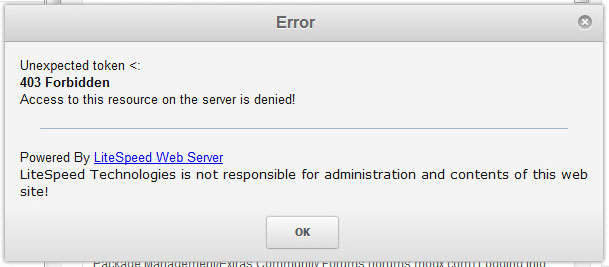
    Unexpected token <:
    403 Forbidden
    Access to this resource on the server is denied!
    Powered By LiteSpeed Web Server
    LiteSpeed Technologies is not responsible for administration and contents of this web site!


    Firefox (Ver 4.0.1):

    invalid XML attribute value:
    403 Forbidden
    Access to this resource on the server is denied!
    Powered By LiteSpeed Web Server
    LiteSpeed Technologies is not responsible for administration and contents of this web site!


    I have the following Components/Plugins: getResourceField, getResources, Login, TinyMCE

    Server info:
    Apache version 2.2.22
    PHP version 5.3.13
    MySQL version 5.1.63-cll
    Architecture x86_64
    Operating system linux

    What could be the problem? Can anyone help, please?

    Thank you,
    Rom
      • 3749
      • 24,544 Posts
      I think mod_security could cause that. Your host may have turned it on or changed the settings:

      http://wiki.modxcms.com/index.php/What_is_mod_security_and_how_does_it_affect_me


      ------------------------------------------------------------------------------------------
      PLEASE, PLEASE specify the version of MODX you are using.
      MODX info for everyone: http://bobsguides.com/modx.html
        Did I help you? Buy me a beer
        Get my Book: MODX:The Official Guide
        MODX info for everyone: http://bobsguides.com/modx.html
        My MODX Extras
        Bob's Guides is now hosted at A2 MODX Hosting
        • 32658
        • 38 Posts
        Thank you, Bob. I tried it, edited the htaccess (from root folder) added the lines (up to #5 below) but still getting the error.

        1 Setting filtering to allow MODx manager main source file to execute over security settings
        2 Setting filtering to allow certain things to be in POST data
        3 Turning off post data filtering
        4 Turning off SecFilterEngine altogether
        5 Turning off SecFilterEngine altogether


        Any other suggestions? What if I delete all / re-install everything, you think it can solve the problem?

        Or maybe request the webhost to do some tweaks? I just don't know what to tell the webhost.

        Thanks,
        Rom
          • 3749
          • 24,544 Posts
          I would check with the webhost. Sometimes they're the only ones who can modify mod_security and they should be able to help diagnose the problem and either fix it or suggest how you can.


          ------------------------------------------------------------------------------------------
          PLEASE, PLEASE specify the version of MODX you are using.
          MODX info for everyone: http://bobsguides.com/modx.html
            Did I help you? Buy me a beer
            Get my Book: MODX:The Official Guide
            MODX info for everyone: http://bobsguides.com/modx.html
            My MODX Extras
            Bob's Guides is now hosted at A2 MODX Hosting
            • 32658
            • 38 Posts
            Thanks, Bob. Will try to talk with my webhost.

            Will post updates here.

            Thanks again,
            Rom

            PS. I have a copy of your book smiley

              • 3749
              • 24,544 Posts
              Thanks for buying my book. smiley


              ------------------------------------------------------------------------------------------
              PLEASE, PLEASE specify the version of MODX you are using.
              MODX info for everyone: http://bobsguides.com/modx.html
                Did I help you? Buy me a beer
                Get my Book: MODX:The Official Guide
                MODX info for everyone: http://bobsguides.com/modx.html
                My MODX Extras
                Bob's Guides is now hosted at A2 MODX Hosting
                • 32658
                • 38 Posts
                It's been months, still couldn't figure out how to solve this error. How do you think should I fix this error? Any help would be appreciated.

                I still get the same pop-up window error:

                ============
                Unexpected token <:
                403 Forbidden
                Access to this resource on the server is denied!
                Powered By LiteSpeed Web Server
                LiteSpeed Technologies is not responsible for administration and contents of this web site!
                ============

                I'm using the latest 2.2.6, installed on a linux server. I'm using Windows 7, Chrome.

                Help please,
                Rom

                Quote from: BobRay at Aug 01, 2012, 11:42 PM
                I would check with the webhost. Sometimes they're the only ones who can modify mod_security and they should be able to help diagnose the problem and either fix it or suggest how you can.


                ------------------------------------------------------------------------------------------
                PLEASE, PLEASE specify the version of MODX you are using.
                MODX info for everyone: http://bobsguides.com/modx.html
                  • 28042 ☆ A M B ☆
                  • 24,524 Posts
                  Does this occur on every Manager page load? Or only some page loads?
                    Studying MODX in the desert - http://sottwell.com
                    Tips and Tricks from the MODX Forums and Slack Channels - http://modxcookbook.com
                    Join the Slack Community - http://modx.org
                    • 28042 ☆ A M B ☆
                    • 24,524 Posts
                    It looks like a Javascript error involving commented script tags; see http://productforums.google.com/forum/#!topic/chrome/Uj6DitMGK1A
                      Studying MODX in the desert - http://sottwell.com
                      Tips and Tricks from the MODX Forums and Slack Channels - http://modxcookbook.com
                      Join the Slack Community - http://modx.org
                      • 32658
                      • 38 Posts
                      Only on Manager page load. Everytime I save, go to a new section of Manager, ex. Site, Systems, etc I get the annoying prompt.

                      I talked to the host, he's also not sure how it's happening.

                      Hope you can share info, tips?

                      ===
                      Unexpected token <:
                      403 Forbidden
                      Access to this resource on the server is denied!
                      Powered By LiteSpeed Web Server
                      LiteSpeed Technologies is not responsible for administration and contents of this web site!
                      ===

                      I checked Litespeed forum and found no info re error:
                      http://www.litespeedtech.com/support/forum/showthread.php?t=4565

                      Quote from: sottwell at Dec 11, 2012, 07:01 PM
                      Does this occur on every Manager page load? Or only some page loads?